New Website Not Getting Indexed? Here's the Real Fix
Your new website is not getting indexed on Google, even after the usual steps? The real reasons indexing stalls, and how to fix it when the basics fail.
Key Takeaways
- The standard checklist (not blocked by robots.txt or noindex, sitemap submitted, request indexing, real internal links, a bit of patience) fixes most new-site indexing problems. Do it first.
- When it does not work, the cause is usually subtle: a domain move with broken redirects, a site Google has quietly decided is not worth crawling yet, thin pages, or a technical block you cannot see.
- A real example: the founder of Wayfront did every textbook migration step and Google still indexed only his homepage for two months. The culprits were redirect chains and 302s, not anything on the checklist.
- New domains and rebrands are the highest-risk version of this. Single-hop 301 redirects, the Change of Address tool, and keeping the old domain live are what move the needle.
- There is an honest last resort when nothing works, and it is not a secret trick. It is patience plus getting real, experienced eyes on your actual site.
If your new website is not getting indexed on Google, the internet has one answer for you: submit a sitemap, request indexing, and wait. That advice is not wrong. It just stops exactly where the hard cases begin. Because there is a version of this problem where you have done every step on the checklist, twice, and Google has still only indexed your homepage. I watched it happen to someone who builds software for marketing agencies for a living, so it is not a beginner mistake. Here is what is really going on, and how to fix it when the usual steps fail.
Table of Contents
- What "not indexed" really means (and how to check)
- The standard checklist that fixes most cases
- A founder who did everything right and still got stuck
- The real reasons a new website is not getting indexed
- Just changed domain? The migration checklist
- What to do, in order
- When nothing works: the honest last resort
- How we keep client sites indexed at Glide
1. What "not indexed" really means (and how to check)
"Not indexed" is not one problem, it is several, and they have different fixes. Before you do anything, find out which one you have. Open Google Search Console, go to the Pages report, and use the URL Inspection tool on a page that is missing. You will usually see one of these.
- Discovered, currently not indexed. Google knows the page exists but has not crawled it yet. This is a priority decision, not an error. Google is choosing to spend its crawling elsewhere, usually because the site is new, the internal links to that page are weak, or the content looks thin.
- Crawled, currently not indexed. Google visited the page and decided not to keep it. This is a quality or duplication signal. The page exists, it just did not earn its place.
- Page with redirect, or Not found (404). Google reached a redirect or a dead end instead of your content. On a new site or a recent move, this is almost always a redirect problem, and it is the one people miss.
- Excluded by noindex or blocked by robots.txt. You, your developer, or your platform is actively telling Google to stay away. More common than anyone admits, especially when a staging site goes live with its blocking still switched on.
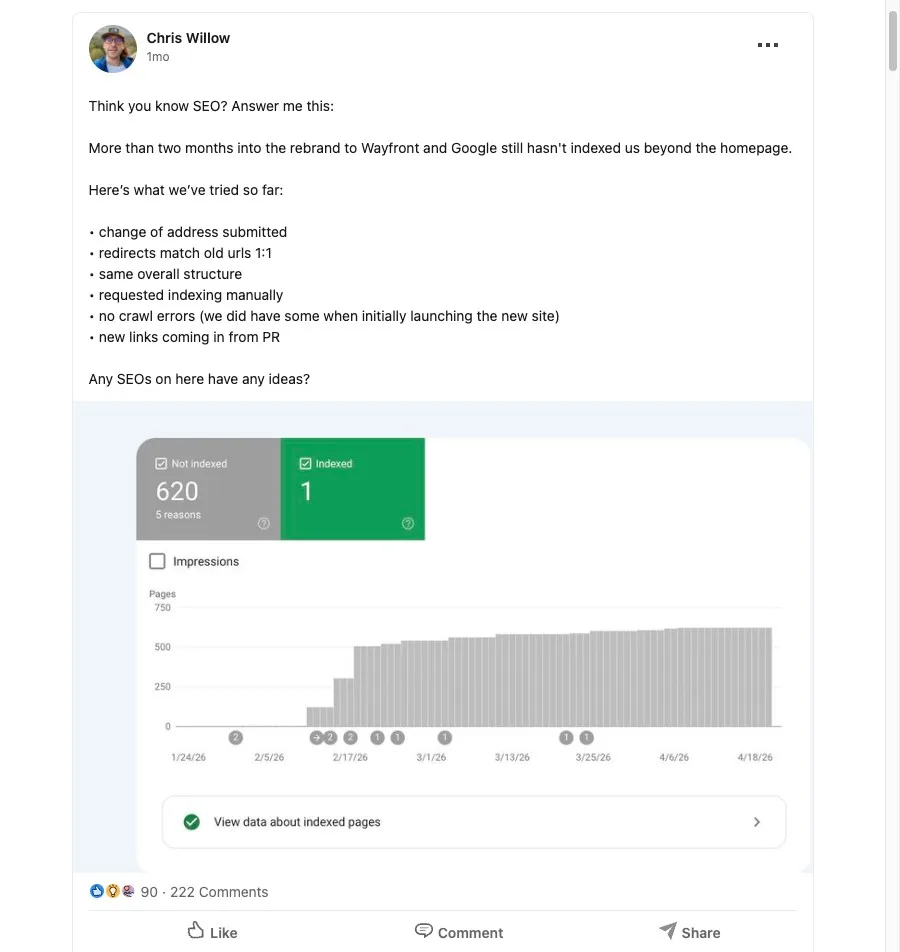
The classic symptom, and the one Chris had below, is "only my homepage is indexed". Google found and crawled the easiest page on the site and then ran out of reasons to go deeper. The report tells you which of the cases above is holding the rest back. You can read Google's own breakdown in the Page indexing report documentation, but the four states above cover almost everything.
2. The standard checklist that fixes most cases
I will give you the checklist fast, because for a lot of sites this genuinely is the whole fix, and there is no point making it complicated. Work through it in order.
- You are not blocking Google. Check your robots.txt does not disallow the pages, and check no page has a noindex tag left over from build or staging. This is the first thing to rule out because it is the most common and the most embarrassing.
- You have submitted one clean sitemap. An XML sitemap with only real, indexable, 200-status pages on it. No redirects, no 404s, no noindexed URLs cluttering it up. A messy sitemap teaches Google to distrust the whole file.
- You have requested indexing for your key pages. Use URL Inspection to ask Google to recrawl your most important pages. It is a nudge, not a command, but on a new page it helps.
- Your pages link to each other. Google reaches deep pages by following links from pages it already knows. If your only path to a page is the sitemap, you are relying on the weakest signal there is. Strong internal linking is one of the most underrated indexing fixes there is.
- You have given it a little time. A few days to a couple of weeks for a new site is normal. Do not panic on day three.
If you do all five and your pages start showing up, brilliant, you are done. If you do all five and Google still will not index you, you are in the territory the generic articles never cover. Keep reading.
3. A founder who did everything right and still got stuck
Chris Willow runs Wayfront, a platform thousands of agencies use to manage clients, billing and delivery. Earlier this year he rebranded it from Service Provider Pro and moved the whole thing from spp.co to wayfront.com. He did the migration properly, by the book:
- Submitted a Change of Address in Search Console
- Set up one-to-one redirects from the old URLs
- Kept the same site structure
- Requested indexing manually
- Confirmed there were no crawl errors
- Earned fresh backlinks through PR
Two months later, Google had indexed exactly one page. The homepage. Everything else was sitting in limbo. This is a man who sells software to marketing agencies, doing every step on the official list, and still stuck.
He posted the whole thing publicly on LinkedIn, and the replies are where the real causes turned up. They were not on any checklist:
- A redirect chain. Old URLs were hopping twice (spp.co to wayfront.com/x/ to wayfront.com/x) instead of going straight to the final address. Every extra hop leaks signals and slows Google down.
- 302s instead of 301s. Deep pages on the www version were redirecting with temporary 302s to a URL tagged "expired", rather than permanent 301s to the right page. Google treats those completely differently. A 301 says "move the rankings here", a 302 says "this is temporary, do not bother".
- Canonical and consistency gaps. Missing explicit index and follow signals, trailing-slash inconsistencies (where /page and /page/ are treated as two different things), and a possible bot-block at the Cloudflare layer.
None of that appears on "submit a sitemap and wait". The checklist says "set up redirects". It does not say "make sure every redirect is a single-hop 301, that your www and non-www versions resolve to one canonical address, and that your trailing slashes are consistent". That gap, between "I set up redirects" and "my redirects are technically correct", is where most stuck migrations live.
Search site:wayfront.com today and the whole site is indexed. It got there. But it took weeks, it took getting experienced eyes on the live site, and in the end it took going direct to Google to shift the rest. Most people do not have a line into Google, and you should not build a plan around having one. The repeatable lesson is the boring part: the technical detail of your redirects and canonicals matters far more than how many times you click "request indexing".
4. The real reasons a new website is not getting indexed
Chris's story is one flavour of this. Here are the usual suspects when you have done the basics and Google still will not play. Most stuck sites are one or two of these, not all of them.
A domain move with broken redirects. The single biggest cause on a recently moved or rebranded site. Redirect chains, 302s where you needed 301s, www and non-www fighting each other, or pages quietly redirecting to the wrong place. If you have moved domain in the last few months, start here.
Low crawl demand because the site is new. Google decides how much of your site to crawl based partly on how much it trusts you, and a brand new domain starts with almost no trust. That is not a punishment, it is caution. A few genuine links from other real sites, and a bit of time, raise the ceiling. There is no shortcut, but there is a direction.
Thin or duplicate content. If pages get "Crawled, currently not indexed", Google looked and was not impressed. Pages that are near-identical to each other, pages with a few lines of text under a big image, or mass-produced filler all get skipped. The fix is to make each page genuinely worth indexing, which is the same thing that makes it worth ranking.
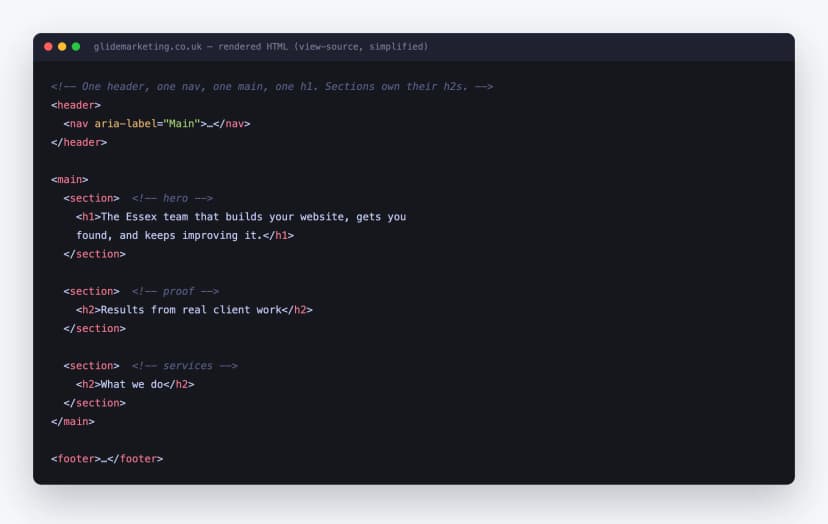
A technical block you cannot see. A canonical tag pointing at a different page, an X-Robots-Tag in the HTTP headers, content that only renders with JavaScript that Google struggles to execute, or a security layer like Cloudflare blocking the crawler. These are invisible in the browser and only show up when you inspect the page the way Google sees it. Clean, properly structured markup avoids most of them, which is part of why I bang on about semantic HTML.
5. Just changed domain? The migration checklist
If your indexing problem started the day you moved domain or rebranded, treat it as a migration problem, not a general indexing one, because the fixes are specific. This is exactly the situation Chris was in.
- Use the Change of Address tool in Search Console to tell Google formally that the old domain has moved to the new one. You can find it in Google's documentation.
- One old URL, one 301, one destination. Every old URL needs a single permanent redirect to its true equivalent. No chains, no dumping everything on the homepage, no 302s.
- Keep the old domain live. Those redirects only work while the old domain is still pointed and paying. Do not let it lapse the week after you move.
- Submit both sitemaps. Old and new. Watch the old one's indexed count fall as the new one's rises. That crossover is how you know the move is processing.
- Pick one canonical version. www or non-www, trailing slash or not, http or https. One version, everything else redirecting to it.
A domain move is the most dangerous thing you can do to your Google traffic, and it is also one of the most recoverable if you follow the steps. I wrote the full version of this, including how to take a baseline first, in my guide on redesigning a website without losing rankings. If a move is on your roadmap, read that before you touch anything.
6. What to do, in order
Stuck right now? Work this list top to bottom and stop when you find the problem. The order matters, because the cheap, common causes are first.
- Rule out self-inflicted blocks. robots.txt and noindex. Inspect a missing URL in Search Console and read what Google says about it. Two minutes, and it catches the most common cause.
- Check your redirects properly. If you have moved domain, crawl your old URL list and confirm every one returns a single 301 to the right page. This is where most stuck migrations break.
- Check your canonicals and consistency. One canonical version of the site, no canonical tags pointing at the wrong page, consistent trailing slashes.
- Strengthen internal links to the missing pages. Link to them from your homepage and from related pages. Give Google an obvious path.
- Clean the sitemap. Only 200-status, indexable, canonical URLs. Remove the junk, then resubmit.
- Improve thin pages. Anything getting "Crawled, currently not indexed" needs to earn its place. Make it genuinely useful, or merge it into a stronger page.
- Earn a few real links and wait. A handful of genuine mentions from other sites raise your crawl ceiling. Then give Google two to three weeks to re-process.
Resist the urge to change all seven at once. Fix the first thing you find, give it time, and watch Search Console. If you change everything in one go and indexing recovers, you will never know which fix did it, and you will be guessing next time.
7. When nothing works: the honest last resort
Here is the part nobody writes, because it does not make a tidy checklist. Sometimes you do everything above correctly and Google is still slow, or still stubborn, for weeks. When that happens, there is no magic button, and anyone selling you one is lying. There are two honest moves left.
Get real, experienced eyes on the actual site. Chris did not solve his problem by reading another listicle, he solved it by putting the live site in front of people who diagnose this for a living, and they spotted the redirect chains and the 302s in minutes. The free, public version of that is the Google Search Central Help Community, where experienced Product Experts, and sometimes Googlers, will look at your specific site rather than hand you a generic list. Post your URL, describe exactly what you have tried, and let someone find the thing you cannot see.
Then be patient on the things you cannot rush. Crawl demand and trust build over weeks, not hours. Once the technical faults are genuinely fixed, the remaining ingredient is time, and clicking "request indexing" forty times does not buy more of it.
And yes, in Chris's case it ultimately took going direct to Google to get the last of it moving. That is real, but it is not a strategy, because almost nobody has that option. The thing you can copy is everything that came before it: get the redirects right, get the canonicals right, then get the right person to look.
8. How we keep client sites indexed at Glide
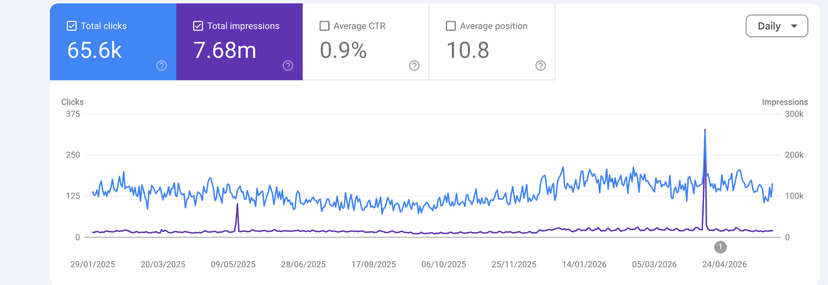
This is bread-and-butter work for us. We move clients off old WordPress builds onto modern sites, we rebrand and change domains, and the non-negotiable on every one is that the site comes out the other side fully indexed and holding its traffic. We rebuilt our own site the same way, on the same rules, and I keep our own Search Console open as a baseline so I am never advising from theory.
The method is the boring one from this post, applied without shortcuts: a full redirect map with single-hop 301s, one canonical version of the site, a clean sitemap, internal links that reach every page, and a post-launch crawl to confirm every old URL resolves. It is the same discipline that runs through our whole technical SEO playbook, and it is why our migrations do not produce the "only the homepage is indexed" panic that started this article. Across the client sites we run, that careful technical work is what sits behind millions of Google impressions, not luck.
If your new site, or a site you have just moved, is stuck in the index and you have run out of things to try, that is exactly the kind of problem our SEO work exists to solve. Send the URL and what you have already done on the form, and you will get a straight answer on whether we can fix it and what that would cost. The buttons below both reach me.
Mike McDonnell, Founder of Glide Marketing. More about how I work.
Frequently asked questions
How long does it take Google to index a new website?
Usually a few days to a few weeks. Google has to find your pages, crawl them, then decide they are worth keeping in the index, and none of that is instant. If your homepage is indexed within a week or two, you are on track. If three to four weeks pass and most of your pages are still missing, that is no longer "be patient", that is a signal something specific is wrong and you should start diagnosing.
Why is only my homepage indexed?
This is one of the most common patterns on new and recently moved sites. Google almost always crawls the homepage first because it is the easiest page to find and usually has the most links pointing at it. The rest of the site only gets crawled if Google can reach it through clear internal links or a clean sitemap, and only gets kept if it decides the pages are worth indexing. If your internal linking is thin, your redirects are messy, or the site is brand new with little authority, you can sit on "homepage only" for weeks.
Does submitting a sitemap guarantee my pages get indexed?
No. A sitemap is a hint, not a command. It tells Google which pages you would like crawled, but Google still decides whether to crawl them and whether to index what it finds. Plenty of sites with a perfect sitemap have pages sitting unindexed, because the sitemap was never the blocker. It is still worth submitting a clean one, just do not expect it to force anything.
What does "Discovered - currently not indexed" mean in Search Console?
It means Google knows your URL exists but has not crawled it yet. It is usually not a technical error, it is a priority decision. Google is choosing to spend its crawling on pages it rates more highly, often because your site is new, the internal links to that page are weak, or the content looks thin or similar to other pages. The fix is rarely a single button, it is improving the signals that make Google want to crawl the page: stronger internal links, a cleaner sitemap, and genuinely useful content.
Will clicking "Request indexing" force Google to index my page?
No, it is a request, not a guarantee. It can nudge Google to look at a page sooner, which is useful for a new or updated page, but it will not override a quality or crawl decision. If you request indexing and the page still does not get indexed after a couple of weeks, the request was never the problem. Something on the page or the site is telling Google not to bother, and that is what you need to find.
My site moved to a new domain and dropped out of Google. What should I do?
Move fast on the fundamentals. Use the Change of Address tool in Search Console, make sure every old URL has a single one-to-one 301 redirect to its new equivalent with no chains, keep the old domain live so those redirects keep working, and submit sitemaps for both the old and new domains. Then check that your www and non-www versions resolve to one canonical address and your redirects are 301s, not 302s. Domain moves are the highest-risk version of this problem, which is why I wrote a full guide on how to migrate without losing rankings.
How do I get Google to index my new site faster?
Make it easy and make it worth Google's time. Link to your important pages from your homepage and from each other so they are easy to reach. Submit one clean sitemap with only real, indexable pages on it. Request indexing for your few most important URLs. Earn a handful of genuine links from other sites so Google has a reason to trust you. Then give it time. There is no button that skips the queue, but these moves shorten it.